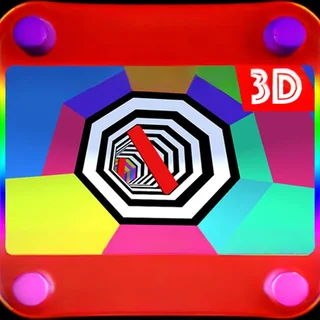
This is Color Tunnel unblocked: the full game loads straight from color-tunnel.net in your browser, so you can play Color Tunnel online free on a school Chromebook, a laptop or a phone with no download and no sign-up.
Color Tunnel: how the tube works, and how to survive past Level 3
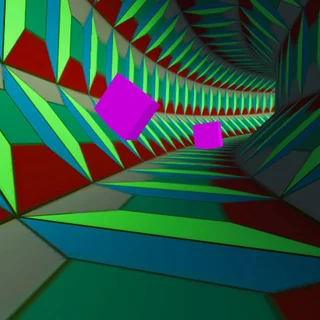
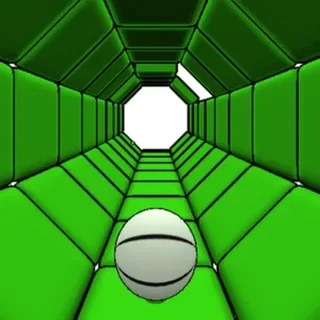
Color Tunnel puts you at the front of a rainbow-striped tube and pushes you down it. You never see your own character — the camera is your eyes — and there is no jump, no brake and no power-up in this build. Left and right are the whole control scheme. The tube is lined with obstacles: full-height slabs, low bars you slide past on one side, staggered rows of blocks and bars that rotate across the tube. Everything is drawn in flat blocks of one color, which is the point: a block is only visible against the stripe it is standing on, so you learn to read shapes, not colors.
The game counts distance, not points. The top-left panel shows meters, the top-right shows your speed in m/s, and the center shows the level. Level 1 starts at 77.5 m/s; every few hundred meters the level ticks up and the speed with it, and the obstacle patterns get denser. Crash and you get a red flash, a card with your distance (and NEW RECORD when you beat it) and a restart button that puts you back at Level 1 in under a second. The build served on color-tunnel.net is the original Unity WebGL version, hosted on this domain — nothing to install, and it runs on a school Chromebook.
Controls & mechanics
| Action | Control | Purpose |
|---|---|---|
| Move left | Left Arrow or A | Slides you toward the left wall of the tube; tap for a lane change, hold to keep sliding |
| Move right | Right Arrow or D | Same to the right. The tube has no lanes — you can stop anywhere between the walls |
| Touch | Tap the left or right half of the screen | Phone and tablet steering; hold the side, do not swipe |
| Restart | Restart button on the game-over card | Back to Level 1 immediately; the Home button returns to the title screen |
Getting further down the tube
- Look at the far end, not at your feet: Obstacles are visible for about a second before they reach you. If you watch the middle of the screen you react to what is already too close; watch the vanishing point and you see the next two patterns at once.
- Small taps, not long holds: Holding an arrow slides you all the way to the wall, which is exactly where the next obstacle usually is. Tap once to shift by a block width, then let go.
- Stay in the middle third: Most patterns leave a gap near the center and put the biggest slabs at the edges. Return to the middle after every dodge so the next move can go either way.
- Learn the rotating bars: The obstacles that turn across the tube end most runs past Level 3. They rotate slowly and always leave an opening: wait in the middle until the bar has swept past your side, then go through the space it just left.
- Restart fast, don't read the card: Every run starts at 77.5 m/s and the first 300 m are easy. The record comes from playing twenty short runs, not from studying one long one.
Key features
- Speed that never resets: The level counter only goes up within a run. Each level raises the m/s readout and packs the obstacle rows closer together, so the same reaction time buys less distance.
- Distance record: Your best run is saved in the browser and shown on the game-over card, so a Chromebook that keeps its cookies keeps your record between lessons.
- Hosted here: The Unity WebGL build is served from color-tunnel.net, not embedded from another site: no third-party loader, no redirect, and it loads in a few seconds on a school connection.
- Works on touch: Tap-to-steer on phones and tablets; the on-screen arrow hints disappear after the first few seconds.
Game info
- Title: Color Tunnel
- Developer: Royale Gamers
- Category: Tunnel Runners
- Platform: Web browser (HTML5)
- Type: 3D endless runner · single player · distance score
Pro tip: The color stripes on the tube walls scroll at the same rate as the obstacles. If a stripe seems to jump, an obstacle is sitting on it — you can spot a low bar on a same-colored stripe by the way it breaks the scrolling, a full second before its outline is clear.